
Arzel Zoning
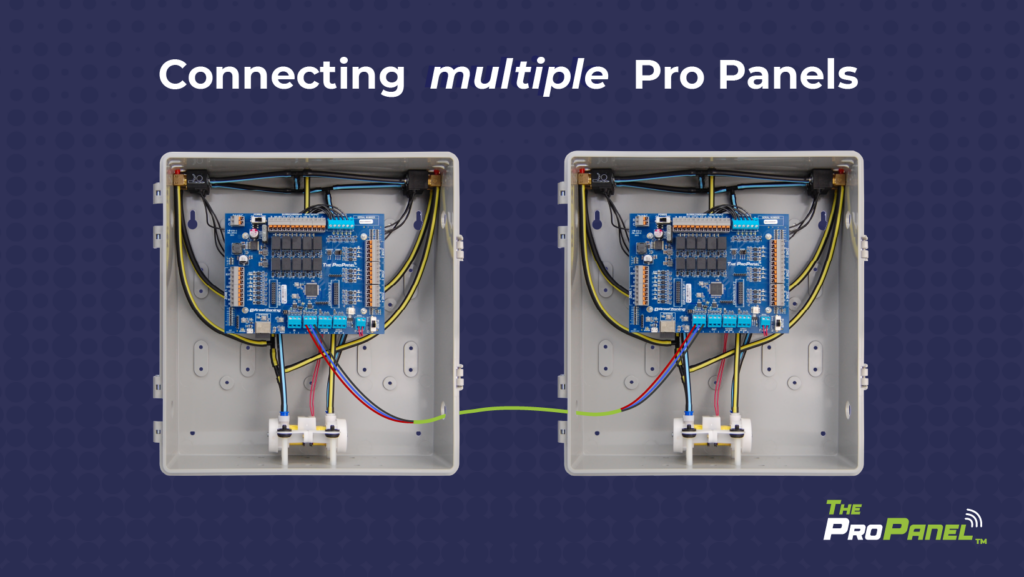
Our new Pro Panel control can zone up to 16 zones. That’s twice as many as our biggest AirBoss, and four times what our HeatPumPro can do. With 16 zones possible, the Pro Panel can be a zoning solution for more light commercial buildings and large houses.
On top of the additional zones that are possible, the Pro Panel also offers other advanced features like customizable staging timers, compatibility with package units, the ability to create zones that can’t turn on the equipment when calling alone, and a seamless connection to A2L mitigation boards. But for now, let’s focus on how to get 16 zones out of this versatile zoning control.
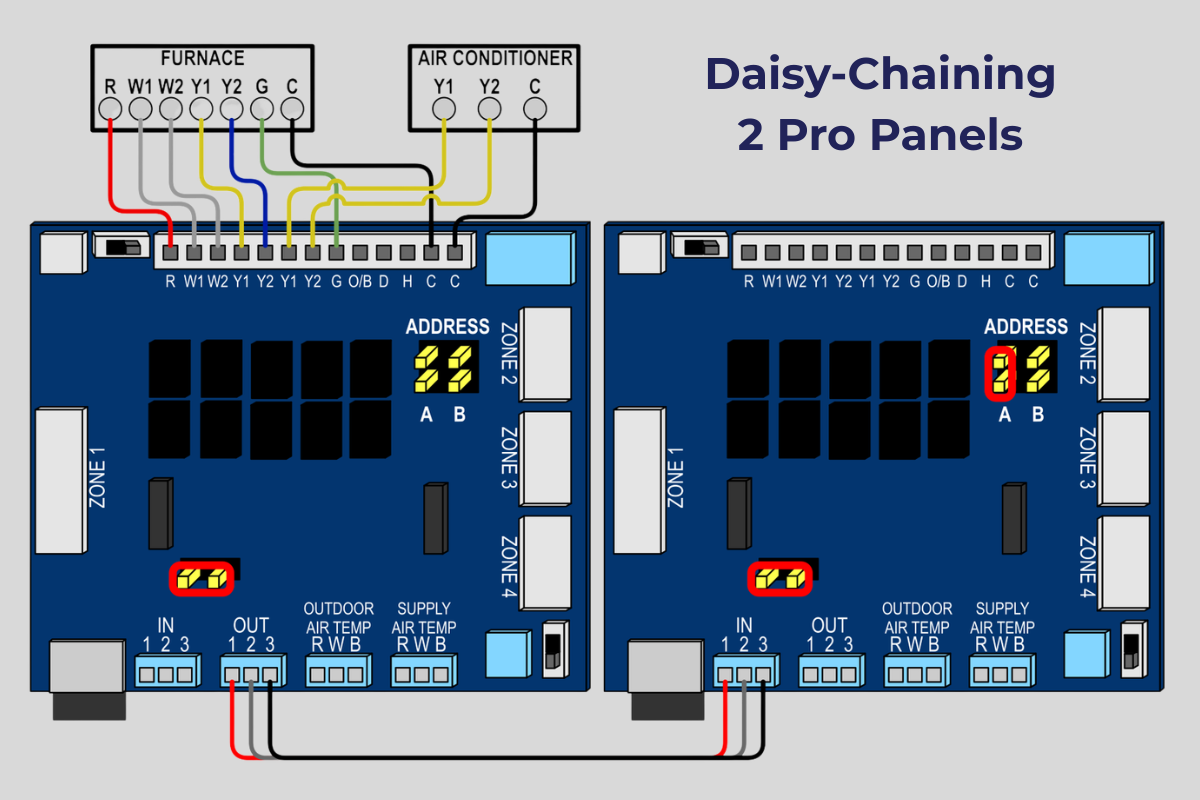
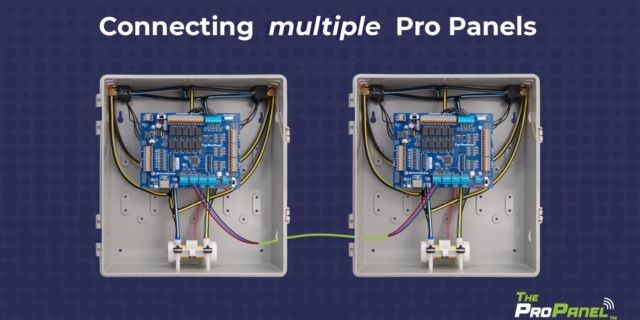
Pro Panels are available in three configurations out of the box – 2 zones, 3 zones, or 4 zones. To create a zoning system larger than 4 zones, you can daisy-chain multiple panels together. Up to four panels can be daisy-chained together, so you can design a zoning system with up to 16 zones. The daisy-chained panels will work together as one zoning control.
There are two steps to daisy-chain multiple Pro Panels. First, you’ll move the jumper pins to give each panel a unique address. Then, you’ll wire the Pro Panels together.
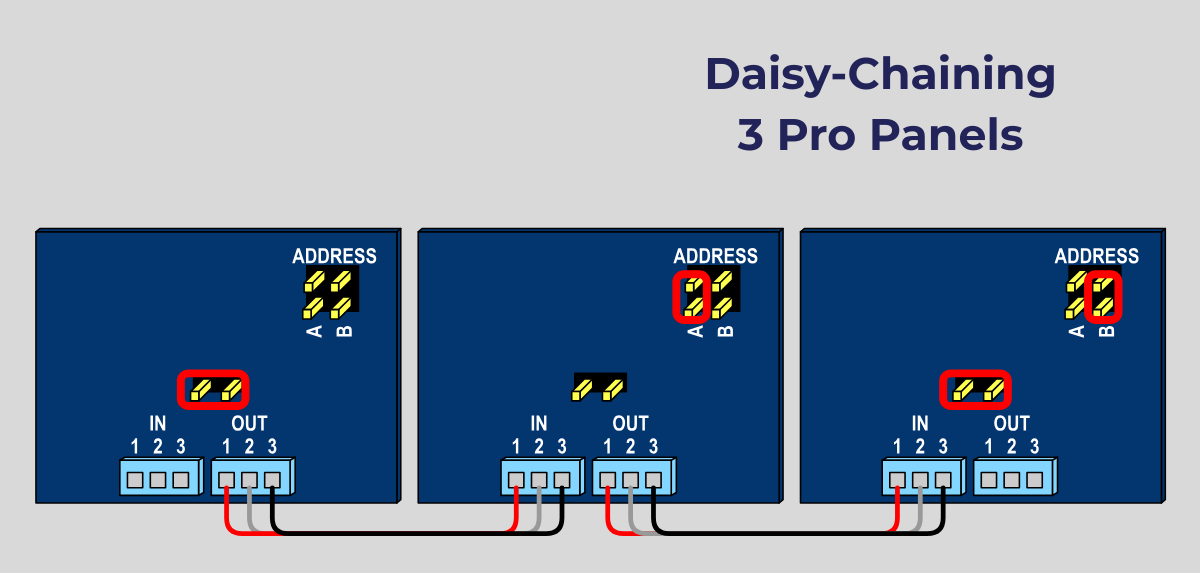
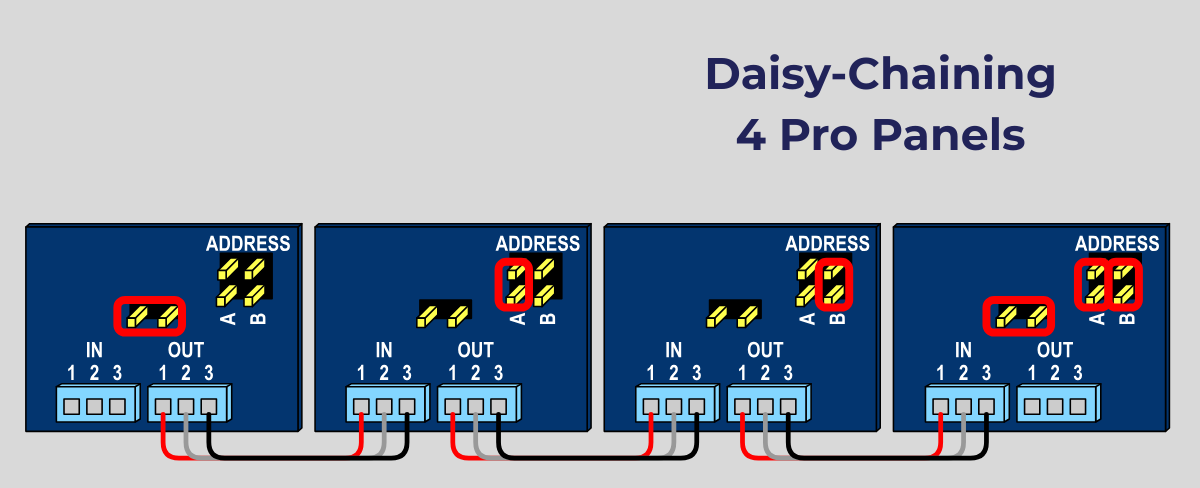
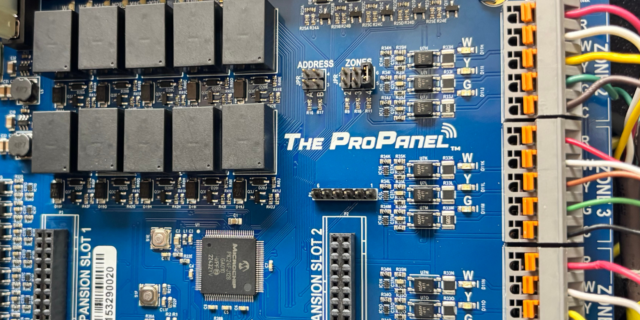
You’ll need to configure each panel to have a unique address. The address is set by placing jumpers on the pins labeled ADDRESS, located above the Pro Panel logo. You will find spare jumpers near the bottom of the circuit board, above the IN terminal and to the right of the Arzel Zoning logo.
To add additional panels to your system, place the jumpers on each panel like this:
When you’re daisy-chaining more than 2 panels, there is another step. Find the jumper above the IN terminal, labeled here as “middle of the chain jumper pins.”
After you have configured the jumpers, use a three-wire bundle to connect multiple panels together. For each panel you add to the chain, wire the OUT terminal on the first panel to the IN terminal on the second panel, making sure the 3 wires correspond to the contacts labeled 1, 2, and 3. See the diagrams below for jumper placement and wiring for each daisy-chaining configuration.
With the Pro Panel, you have some new options when you want to create a small zone. You can still use Zone Weighting to lock out second-stage operation on smaller zones. But now you can also create zones that cannot turn on the equipment when they are calling alone. So, essentially, you can lock out first-stage operation on these zones. They will only have their calls satisfied when they are calling along with another zone.
If you’ve ever designed a zoning system, you know that making zones too small can cause CFM issues and comfort problems. Of course, every application is different, and we’ve all had a customer who wanted a tiny office or bathroom to be its own zone. With the Pro Panel, you can make this happen. Just go to the Zone Weighting setting for that zone, and move the slider to indicate that this zone cannot engage the HVAC equipment when calling alone.
We usually advise contractors that the smallest zone in their design should be at least 33% of the ductwork for single-stage equipment or 25% of the ductwork for multi-stage equipment. When you design with those parameters in mind, you usually don’t need a bypass, or if you do, it’s minimal in size.
If you want to create a zone that is smaller than our recommendations, you could add a Smart Zone (our slave zone) to your system to make a zone that can’t engage the equipment when it’s the only zone calling. But with the Pro Panel it’s even easier. Now you can set any zone so that it can’t turn on the equipment. That way, if the small zone is the only one calling, it will need to wait to be satisfied until another zone has a matching call. This way, the small zone will never get the full force of the airflow, and you won’t have CFM issues.
There are three main steps to installing a Pro Panel zone control system: Install the dampers and tubing. Install the panel and thermostats. Connect to the Arzel Pro app to configure the Pro Panel for your installation. After you complete these three steps, your customer will feel the difference immediately. This is one of our […]
Our new Pro Panel control can zone up to 16 zones. That’s twice as many as our biggest AirBoss, and four times what our HeatPumPro can do. With 16 zones possible, the Pro Panel can be a zoning solution for more light commercial buildings and large houses. On top of the additional zones that are […]
The Arzel Pro Panel app gives contractors more control, easier setup, and better troubleshooting capabilities. All of that comes in a no-nonsense package. The app is simple to connect and doesn’t require Wi-Fi or cell service. We’re proud that the Arzel Pro app makes the Pro Panel our most customizable panel. And it’s still easy […]
App-controlled HVAC zoning panel is feature-rich and highly customizable; pairs with trusted Arzel dampers Cleveland, OH (Feb. 10, 2026) – Arzel Zoning Technology, a trusted name in HVAC since 1983, is proud to announce a new zoning control: The Pro Panel™. This universal zoning control offers advanced control and a feature rich system, all with […]