
Arzel Zoning
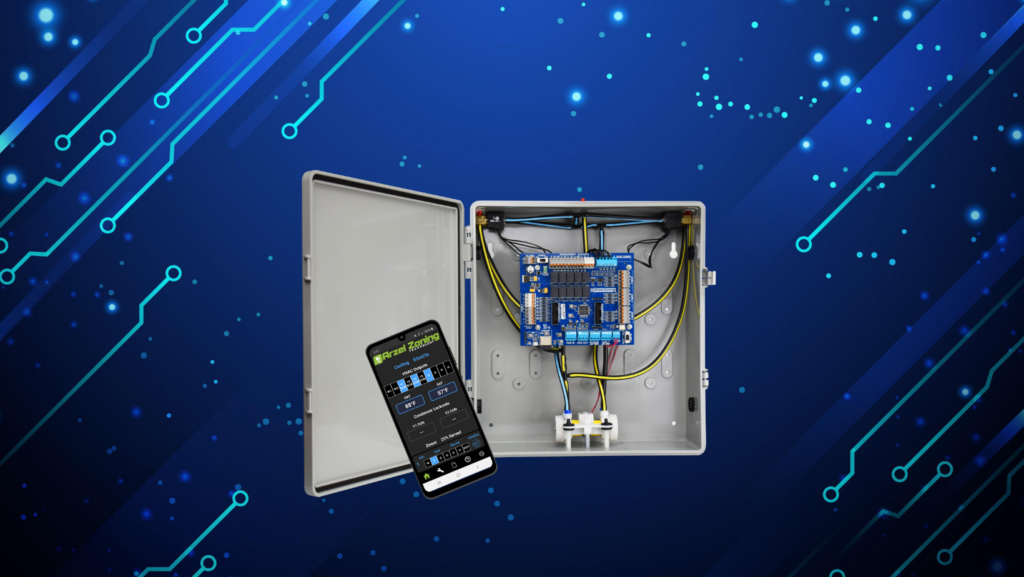
The Pro Panel can handle up to two stages of cooling and up to four stages of heating. It can control multi-stage furnaces, air conditioners, and heat pumps. For example, it can control a two-stage heat pump with two stages of electric heat strips. Or it can control a two-stage heat pump with two stages of gas furnace operation. So you can use the Pro Panel to expertly control a multi-stage heat pump with multi-stage backup heat, or any equipment combination with fewer stages than that.
The Pro Panel uses conventional single-stage thermostats on every zone, while giving you precision staging controlled by the panel. If you want, you can use a 2-heat 1-cool heat pump thermostat on zone 1 in heat pump applications. We recommend using standard thermostats, though, unless your customer wants to control emergency heat with the thermostat.
The Pro Panel continuously compares the supply air temperature (SAT) to the target temperatures in its settings. These target temperatures are field-adjustable. If the system is not reaching the target temperature, then the Pro Panel will direct the equipment to stage up.
The Pro Panel has timers that control how long it gives the equipment to reach the target temperature before staging. These timers are all set by default. You can also adjust them in the field to get the operation you want.
Our zone weighting feature locks out second-stage operation when there’s not enough ductwork to handle the second-stage airflow. The zone weighting feature is always running in the background, and it will turn second-stage operation on or off based on how much ductwork is available for the airflow.
Yes, the Pro Panel will stage down if the supply gets too hot during heating, or if it gets too cool during cooling operation. You can adjust the temperatures where this happens using the settings Heating/Backup Heat SAT High Limit, Heat Pump SAT High Limit, and Cooling SAT Low Limit.
When the Pro Panel gets a call from a thermostat, it will turn on first-stage heating or cooling. It will also start a timer. When that timer expires, it will check the supply air temperature (SAT) to determine if it needs to stage up. This process will repeat until the call is satisfied. Find your application below to learn how the Pro Panel handles staging for your equipment type.
When a thermostat calls for cooling, the Pro Panel will engage first-stage cooling (Y1). It will also start a timer for 10 minutes, or whatever time you set for the Cooling Stage-up Time setting. When the timer expires, it will check the supply air temperature (SAT). If the temperature in the supply is warmer than 55 °F, the Pro Panel will engage second-stage cooling (Y2). You can adjust this temperature Pro Panel checks for with the setting Cooling SAT Target.
The Pro Panel is always monitoring to ensure that the temperature in the supply doesn’t get too cold (Cooling SAT Low Limit). If it does, the Pro Panel will turn off or stage down the equipment. It is also always checking to see if there is enough ductwork open to handle second-stage operation (Y2 Zone Weight Threshold). If there is not enough ductwork being served, the Pro Panel will not engage Y2 even if the temperature target in the supply is not met. It will continue in first-stage cooling (Y1) until the call is satisfied or more ductwork opens to allow Y2 operation.
When a thermostat calls for heating, the Pro Panel will engage first-stage heating (W1) and start a timer for 10 minutes. You can adjust the timer with the setting Heating/Backup Heat Stage-up Time. When the timer is done, the Pro Panel will stage up if there’s enough ductwork available. So if the total percentage of ductwork that’s calling is more than the W2 Zone Weight Threshold, then the Pro Panel will stage up the equipment. If the total percentage is too low, it will remain in first stage.
When a thermostat calls for cooling, the Pro Panel will engage first-stage cooling (Y1). It will start a timer for 10 minutes, which you can adjust with the setting Cooling Stage-up Time. After 10 minutes, the Pro Panel will check the supply air temperature (SAT) to see if it’s 55 °F or colder. You can adjust this temperature with the setting Cooling SAT Target. If the SAT is cold enough, the equipment will stay in first stage. But if it is warmer than 55 °F, or whatever temperature you have set, then the Pro Panel will engage second-stage cooling (Y2).
The Pro Panel is always checking the SAT to make sure it’s not too cold, and it will turn off the heat pump if the temperature drops below 42 °F. You can adjust this temperature with the setting Cooling SAT Low Limit.
Additionally, the Pro Panel is always checking to see if there’s enough ductwork available for second-stage airflow. It will add the percentage of ductwork of all of the zones calling for cooling, and see if those are above the Y2 Zone Weight Threshold. If the percentage of ductwork open is below the threshold, then the Pro Panel will not engage Y2 operation, even if the heat pump is not meeting the Cooling SAT Target.
When the Pro Panel is controlling a multi-stage heat pump and a thermostat calls for heating, the Pro Panel will engage first-stage heating (Y1). It will start a timer for 10 minutes, or whatever time you set for Heat Pump Heating Stage-up Time. After the time is up, the Pro Panel will check the SAT sensor to see if the supply has reached the Heating SAT Target (default: 88 °F). If the SAT has not reached the target, then the Pro Panel will stage the heat pump up to second stage (Y2).
The Pro Panel is also always monitoring the system to see if enough ductwork is open to handle second-stage operation. It will add the zone weights of the zones that are calling, and check to see if they meet the Y2 Zone Weight Threshold. By default, each zone will have a weight of 25%, and the Y2 Zone Weight Threshold is set at 50%. You can adjust both of these to ensure that second-stage operation is locked out when there is not enough ductwork open.
The Pro Panel will control the changeover to backup heat differently depending on whether you have electric backup or fossil fuel backup. For all-electric systems, the Pro Panel will start a timer for 10 minutes when it enters its highest heat pump stage. You can adjust this timer with the setting Heat Pump to Backup Heat Stage-up Time. When the time is up, the Pro Panel will check the Heating SAT Target (default: 88 °F). If the supply air is colder than the target, then the Pro Panel will call for stage one backup heat (W1). It will continue calling for two stages of heat pump operation (Y1 and Y2).
Another 10 minute timer will begin (Heating/Backup Heat Stage-up Time). When this time is up, the Pro Panel will check the SAT again. If it has still not reached the Heating SAT Target, the Pro Panel will call for stage two backup heat (W2) if available. Now the system will be running all four stages of heat, if available: heat pump heating Y1 and Y2, and backup heating W1 and W2.
You can lock out heat pump operation below a specific outdoor temperature by setting the Balance Point OAT. You can also lock out backup heat above a specific outdoor temperature by setting the Backup Heat OAT Lockout.
Again, the Pro Panel is always checking to see if the percentage of ductwork calling (Zone Weights) is enough to engage second-stage operation (Y2 Zone Weight Threshold or W2 Zone Weight Threshold). If there is not enough ductwork being served, then the Pro Panel will turn off second-stage operation. If an additional zone starts calling and the threshold is met, it will engage second-stage heating.
When the heat pump starts heating in its highest stage, the Pro Panel will start a timer for 10 minutes. You can adjust this amount of time with the setting Heat Pump to Backup Heat Stage-up Time. After the time is up, the Pro Panel will check the supply air temperature (SAT) to see if it meets the Heating SAT Target. The default temperature for this setting is 88 °F, and it is adjustable. If the SAT has not met the target temperature, then the Pro Panel will turn off the heat pump and engage the fossil fuel backup heat (W1).
The Pro Panel will start another 10-minute timer (Heating/Backup Heat Stage-up Time). When the time is up, it will stage up the backup heat if there is enough ductwork available. To calculate whether there is enough ductwork, the Pro Panel adds up the Zone Weight of each zone that’s currently calling, and compares that to the W2 Zone Weight Threshold. If the total Zone Weight is below the threshold, the Pro Panel will continue to engage first-stage backup heat (W1).
If you want to keep the heat pump from running below a certain temperature, you can specify that temperature in the Balance Point OAT setting. You can also use the Backup Heat OAT Lockout to lock out backup heat above a temperature of your choice.
The Pro Panel is always monitoring the percentage of ductwork open to ensure that there is not too much airflow for the amount of ductwork that’s being served. It does this by adding the Zone Weight of each calling zone, and comparing that to the W2 Zone Weight Threshold or Y2 Zone Weight Threshold. When there’s not enough ductwork open, the Pro Panel will lock out second-stage operation. If more ductwork is added to the amount being served, the Pro Panel will allow second-stage operation again.
The Pro Panel can control inverter heat pumps as long as they can use a standard 24-volt thermostat. We have updated our settings and improved the temperature ranges to make the Pro Panel work better with inverters than our previous panels. Other than the temperature changes, inverters stage in the same way as other heat pumps.
When a thermostat calls for cooling, the Pro Panel will turn on first-stage cooling (Y1) and start a timer (Cooling Stage-up Time). You can adjust this timer if you prefer a different amount of time. After the time is up, the Pro Panel will check the supply air temperature (SAT) to see if it has met the target temperature of 55 °F. You can adjust this target with the setting Cooling SAT Target. If the SAT has not reached the Cooling SAT Target, then the Pro Panel will engage second-stage operation (Y2) if available.
As always, the Pro Panel is still checking to see if the percentage of ductwork that’s calling is high enough for second-stage airflow. It compares the Zone Weight for each zone to the Y2 Zone Weight Threshold. If the threshold is not met, the Pro Panel will not engage second-stage operation.
When one of the thermostats calls for heating, the Pro Panel will engage the inverter in first-stage heating (Y1). The panel will also start a timer for 15 minutes, which you can adjust with the setting Heat Pump Heating Stage Up Time. When this time is up, the Pro Panel will check the supply air temperature to see if it has reached the Heating SAT Target (88 °F). If the supply air is still colder than the target temperature, then the Pro Panel will engage second-stage operation (Y2) if it’s available.
The Pro Panel is always checking to make sure enough ductwork is open to handle second-stage airflow. It will compare the setting Y2 Zone Weight Threshold to the total Zone Weight of the zones that are calling. If the Zone Weight of the zones being served is below the threshold, then the Pro Panel will not engage second-stage operation.
Then the Pro Panel will start another timer (Heat Pump to Backup Heat Stage-up Time) for 15 minutes. You can adjust any of these timers and target temperatures. After the time is up, the Pro Panel will check to see if the SAT sensor has reached the Heating SAT Target. If it has still not reached the target temperature, then the Pro Panel will engage the backup heat (W1).
The backup heat will work differently depending on whether you have an all-electric system or a dual-fuel system. With an all-electric system, the Pro Panel will keep the inverter running in second-stage heating, and will also engage the backup heat. If your system is dual fuel, then the Pro Panel will turn off the inverter and engage backup heat instead.
If your system has two-stage backup heat, then the Pro Panel will start another timer when it engaged stage-one backup heat. This timer defaults to 10 minutes, and you can adjust it with the setting Heating/Backup Heat Stage-up Time. When this timer expires, the Pro Panel will check the SAT sensor again. If it has still not reached the Heating SAT Target, then the Pro Panel will engage second-stage backup heat (W2).
Once again, the Pro Panel is always checking to see if there’s enough ductwork available to handle second-stage operation. If the total Zone Weight does not meet the W2 Zone Weight Threshold, then the Pro Panel will not engage second-stage backup heat.
You can lock out inverter heat pump operation if the outdoor temperature is too cold. By default, the Pro Panel will lock out inverter operation below 20 °F. You can adjust this temperature with the setting Balance Point OAT.
The Pro Panel also lets you lock out backup heat at an outdoor temperature of your choice. Just set the Backup Heat OAT Lockout, and the backup heat will not engage above this temperature. This setting is disabled by default.
When a thermostat calls for cooling, the Pro Panel will engage the geothermal equipment in first-stage cooling (Y1). The panel will also start a timer for 10 minutes, which you can adjust with the setting Cooling Stage-up Time. When the timer is done, the Pro Panel will check the supply air temperature to see if it has met the Cooling SAT Target. If the supply is still warmer than the target, then the Pro Panel will engage second-stage cooling (Y2).
When there are only one or two zones calling, there may not be enough ductwork available for second-stage airflow. In this case, the Pro Panel won’t engage second-stage operation, even if the Cooling SAT Target has not been met. You can adjust the threshold for second-stage operation with the setting Y2 Zone Weight Threshold.
If one of the thermostats calls for heating, the Pro Panel will turn on the geothermal in first-stage heating (Y1). The panel will start a timer for 10 minutes, which you can adjust with the setting Heat Pump Heating Stage-up Time. After 10 minutes, the Pro Panel will check the supply air temperature (SAT) sensor to see if it has met the Heating SAT Target (default: 88 °F). If the supply is still colder than the target temperature, the Pro Panel will engage second-stage heating (Y2).
After that, the Pro Panel will start another timer for 10 minutes, which you can adjust with the setting Heat Pump to Backup Heat Stage-up Time. When this timer expires, the Pro Panel will check the SAT sensor again. If it has still not met the Heating SAT Target, then the Pro Panel will engage backup heat (W1).
If there are two stages of backup heat available, then the Pro Panel will start another timer for 10 minutes, which you can adjust with the setting Heating/Backup Heat Stage-up Time. After that time is up, the Pro Panel will check the SAT again. If it hasn’t met the Heating SAT Target, then the Pro Panel will engage second-stage backup heat (W2).
Note that the Pro Panel is always checking to see if there is enough ductwork available to handle second-stage operation. It does this by adding up the Zone Weights of all of the zones that are calling, then comparing that to either the W2 Zone Weight Threshold or the Y2 Zone Weight Threshold. If the total Zone Weight that’s calling is less than the threshold, the Pro Panel will not engage second-stage operation.
You can lock out geothermal operation below a certain temperature if you want to. Just set the Balance Point OAT, and then the Pro Panel will not engage the geothermal equipment if it’s below that temperature. This setting is disabled by default.
Additionally, you can lock out backup heat above a temperature of your choice. Set this with the Backup Heat OAT Lockout. When you enter a temperature here, the Pro Panel will not engage backup heat when the outdoor air temperature is above your set point.
How Many Stages Can the Pro Panel Control? The Pro Panel can handle up to two stages of cooling and up to four stages of heating. It can control multi-stage furnaces, air conditioners, and heat pumps. For example, it can control a two-stage heat pump with two stages of electric heat strips. Or it can […]
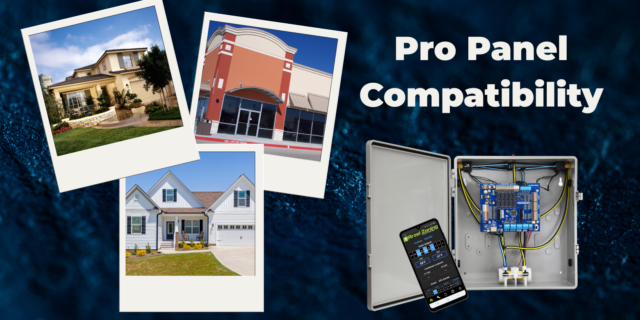
The Pro Panel is a universal zoning system. That means it can control every type of equipment: conventional furnace and air conditioner, split and package geothermal, heat pump, dual-fuel systems, and all-electric systems. The Pro Panel works with multi-stage equipment too, up to 4 stages of heat and 2 stages of cooling. We worked to […]
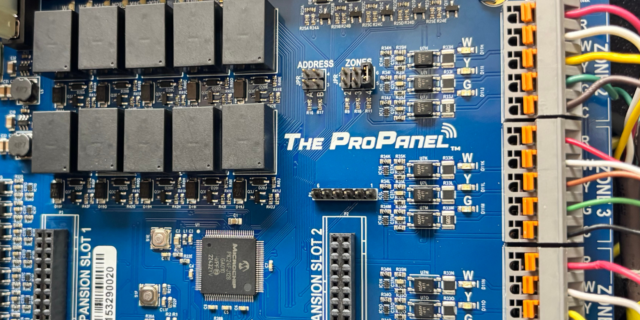
There are three main steps to installing a Pro Panel zone control system: Install the dampers and tubing. Install the panel and thermostats. Connect to the Arzel Pro app to configure the Pro Panel for your installation. After you complete these three steps, your customer will feel the difference immediately. This is one of our […]
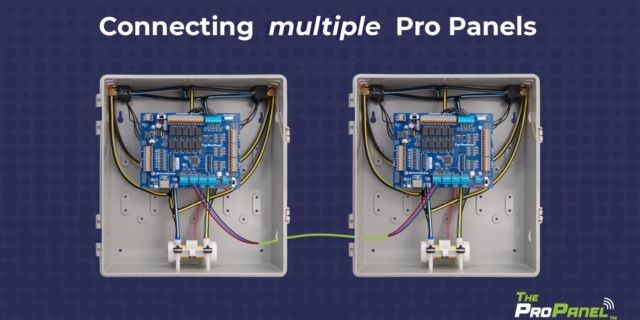
Our new Pro Panel control can zone up to 16 zones. That’s twice as many as our biggest AirBoss, and four times what our HeatPumPro can do. With 16 zones possible, the Pro Panel can be a zoning solution for more light commercial buildings and large houses. On top of the additional zones that are […]