
Arzel Zoning
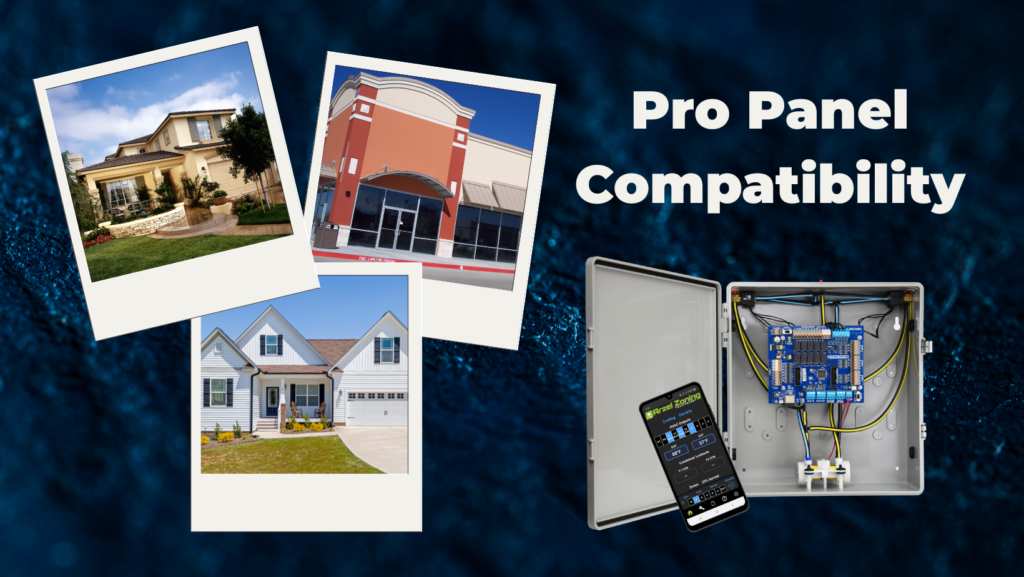
The Pro Panel is a universal zoning system. That means it can control every type of equipment: conventional furnace and air conditioner, split and package geothermal, heat pump, dual-fuel systems, and all-electric systems. The Pro Panel works with multi-stage equipment too, up to 4 stages of heat and 2 stages of cooling. We worked to expand Pro Panel compatibility as much as possible. However, all Arzel Zoning systems require a 4 or 5 wire thermostat. They are not usually compatible with communicating equipment.
The Pro Panel specializes in residential applications. It’s compatible with all equipment types, so homeowners don’t have to worry about it working with future equipment updates. If you ever change the equipment, you’ll just connect to the Pro Panel with the app and choose the new equipment type.
One thing that’s new with the Pro Panel is that you can designate any zone as a slave zone, or a zone that does not control the equipment. This can be a really nice feature when your customer wants a thermostat in a small office, or a bathroom. These spaces might be too small to be a traditional zone. Why? If you close all of the other ductwork and put the full CFM of the equipment into that one zone, the static pressure will be too high. With the Pro Panel, you can go to the Zone Weight setting for that zone, and set the zone so that it does not engage the HVAC equipment when it calls alone. Now the small zone will only have its call satisfied when there is enough ductwork open for the equipment to safely run.
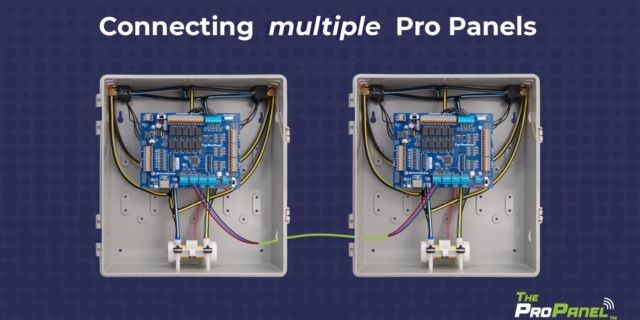
The Pro Panel is our first zoning system that can handle up to 16 zones of comfort. You can daisy-chain up to 4 Pro Panels together to create one system with 16 zones. That number of possible zones gives contractors more flexibility to use the Pro Panel in commercial buildings. Previously, the AirBoss zoning control was our largest possible system, with up to 8 zones.
With 16 possible zones, you’re not going to use the Pro Panel in any huge commercial buildings. For the average store, strip mall, or restaurant, however, the Pro Panel can be a great solution. It works well with package units or split systems, and can control any type of equipment.
Keep in mind that Arzel’s dampers are designed only for light commercial or residential buildings, so we do not make huge sizes. Our stock dampers go up to 16 inch round dampers or 12-inch by 20-inch rectangular dampers. We can make custom dampers, but the sizes are not unlimited. Call to see if we can make the size you need.
The Pro Panel truly gets the most out of a heat pump system. The way it handles staging is unique, and you’ll really notice it with backup heat. We have also updated some important settings to work better with inverters, specifically Bosch® inverters.
If you’ve installed the HeatPumPro, you’ll recognize the way that the Pro Panel handles staging. It will stage the equipment up based on the temperature in the supply and the amount of time it has been in the current stage. It will also changeover from heat pump to backup heat using timers and the supply temperature.
With the Pro Panel, for the first time you can adjust the staging timers. If you want to give your heat pump more time to reach temperature in the supply before it engages backup heat, you can do that. You can also adjust the temperature it’s looking for in the supply duct.
The outdoor temperature also factors into the heat pump staging. You can adjust the outdoor temperature necessary to allow backup heat to engage. For many homeowners, this is a personal preference. They may prioritize comfort, and want to switch to backup heat as soon as the heat pump isn’t keeping them cozy. Or they might want to avoid using their backup heat as much as possible, and in that case you can set all of the temperature and timer settings to give the heat pump as much of a chance as possible to heat on its own.
With cooling, the Pro Panel handles staging in the same way. You can adjust the amount of time the control waits before staging up, and you can also adjust the temperature that the supply duct needs to reach in order to avoid staging up.
The Pro Panel gives you incredibly customizable staging settings, so you can engage backup heat exactly when you want to. With dual-fuel or all-electric systems, that changeover is really important. The homeowner probably bought that equipment for the efficiency it offers, and they don’t want to spend the whole winter heating with electric strip heat. On the other hand, they may have dual fuel with really good natural gas prices and high electric prices. In that case, they might want to avoid running the heat pump below a certain temperature because the backup heat will cost them less.
Whatever your customer wants, the Pro Panel can make it happen. You can customize the temperature target in the supply that the control checks before staging up. You can also adjust the amount of time the heat pump waits before changing over to backup heat. All of these settings are easy to find in the app, and you can connect anytime to adjust them.
The Pro Panel works especially well with inverter heat pumps because of its highly customizable staging settings. We worked with some of our contractors who install Bosch® inverters, and we improved our staging control with these inverters in mind. The Pro Panel’s default settings for inverters give the equipment more time to warm up, and they help you get the most out of modern inverters.
Pro Panel requires a 24-volt connection to the equipment. If your inverter requires a communicating thermostat, the Pro Panel may not be compatible. However, if the inverter can be controlled with a 24-volt thermostat, then the Pro Panel might be a good option.
The Pro Panel is our best zoning control for geothermal systems because it’s our best heat pump control. It gives you optimal control over when the geo runs, and how long it runs before switching to backup heat. With the Pro Panel, you can control the changeover to backup heat using adjustable timers, the temperature in the supply, and the outdoor air temperature. When you select geothermal equipment in the setup wizard, the Pro Panel will automatically populate default settings designed to help geos run effectively. You can still make additional changes to dial in the settings to the exact operation you want.
The Pro Panel works with both split geothermal and package geothermal systems. With package geos, the Y1 and Y2 contacts will not be split like they are for split systems. Again, just choose package geothermal in the setup wizard to automatically input the default settings.
The Pro Panel is designed to work seamlessly with package units, too. When you select the equipment type during setup, the Arzel Pro app will automatically make the settings work for a package unit. There’s a setting called Package Unit or Split System and you will see that it’s set to Package Unit.
The Pro Panel also works with systems where the indoor unit and outdoor unit communicate. In this case, you would also not have a set of Y1 and Y2 contacts on your outdoor unit. For this application, you would select package unit in the settings, and then wire the Pro Panel to the indoor unit only.
The Pro Panel has fully customizable staging controls. It’s better at staging than your equipment is on its own, because it can factor in the zoning system in addition to temperatures and timers.
One of the most unique Arzel features you get with the Pro Panel is our zone weighting system. Zone weighting allows you to set a percentage of ductwork for each zone. The panel uses this percentage to decide whether to stage up the equipment. If there’s not enough ductwork open to allow second-stage operation, then the Pro Panel will not stage up the equipment. With zone weighting, you can safely design smaller zones without needing bypass.
The Pro Panel also uses timers and temperature thresholds to handle staging. You can customize the temperature in the supply where you want the equipment to stage, and for the first time you can also adjust how much time the control panel should wait before staging. The Pro Panel gives you precise control over staging, so you can create a zoning system that gives your customers exactly what they want.
First of all, the Pro Panel is an excellent choice anytime you’re using multi-stage equipment. With fully customizable staging timers and supply temperature thresholds, it gives you greater control of the equipment’s staging features. Plus, Zone Weighting lets you spend more time in first stage, which saves your customer a lot of second stage runtime.
With single-stage equipment, we usually recommend the MPS, our basic zoning panel. But there are a few reasons you might want to install the Pro Panel even with single-stage equipment.
If your customer is thinking about upgrading their equipment in the future, you might want to install the Pro Panel now. The MPS panel works great with single-stage equipment, but it can’t handle staging and it’s not as good at managing a heat pump with backup heat. Our control panels come with a limited lifetime warranty, so they will likely last longer than the equipment they control.
Another reason to use the Pro Panel with single-stage equipment is the ease of seeing system information. If you need to troubleshoot a problem in the future, you might appreciate the app dashboard.
If your customer is looking for a simple zoning system with an economical price tag, choose the MPS instead. It will do a great job without all the bells and whistles of the Pro Panel.
How Many Stages Can the Pro Panel Control? The Pro Panel can handle up to two stages of cooling and up to four stages of heating. It can control multi-stage furnaces, air conditioners, and heat pumps. For example, it can control a two-stage heat pump with two stages of electric heat strips. Or it can […]
The Pro Panel is a universal zoning system. That means it can control every type of equipment: conventional furnace and air conditioner, split and package geothermal, heat pump, dual-fuel systems, and all-electric systems. The Pro Panel works with multi-stage equipment too, up to 4 stages of heat and 2 stages of cooling. We worked to […]
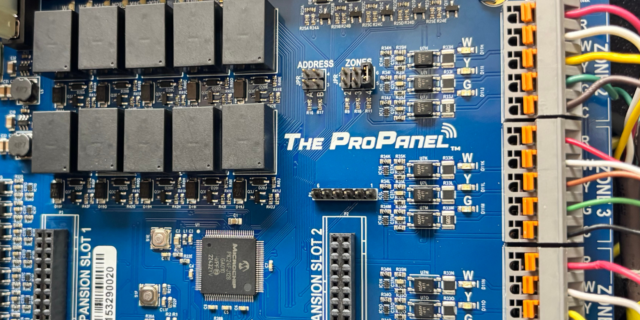
There are three main steps to installing a Pro Panel zone control system: Install the dampers and tubing. Install the panel and thermostats. Connect to the Arzel Pro app to configure the Pro Panel for your installation. After you complete these three steps, your customer will feel the difference immediately. This is one of our […]
Our new Pro Panel control can zone up to 16 zones. That’s twice as many as our biggest AirBoss, and four times what our HeatPumPro can do. With 16 zones possible, the Pro Panel can be a zoning solution for more light commercial buildings and large houses. On top of the additional zones that are […]