
Arzel Zoning
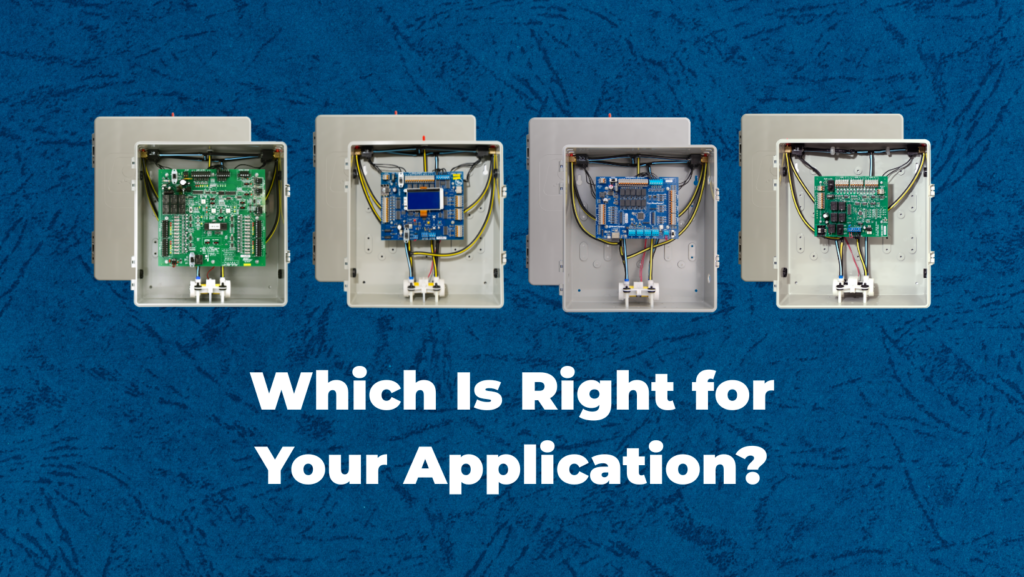
Which zoning system is best? Spoiler alert: we don’t really have an answer for that. The best zone control panel for your application depends on what you need. Here are 3 main questions to keep in mind:
In our blog, we will dive into these three questions and the key differences between the operation of the Pro Panel, MPS Series, AirBoss and HeatPumPro zone control panels. We’ll help you decide which zoning system is best for your application.
The Pro Panel, AirBoss, and HeatPumPro are all able to control any standard 24v-controlled HVAC equipment. (The MPS is limited to single-stage equipment.) From the most basic single-stage conventional to multi-stage dual-fuel applications, all panels are compatible. The key difference is how the panels respond to the calls they receive from the thermostat. If staging is important in your application, here’s how to figure out which zoning system is best.
The AirBoss controls the system’s staging based on what the thermostat calls for. The zone control panel follows the thermostat’s lead and outputs accordingly. For example, if your thermostat calls for second stage heat, the panel will output a second stage heat call to your HVAC equipment.
AirBoss’s operation is beneficial for customers that like to utilize high-end thermostats to track fuel usage and energy efficiency. It works well for those who want to know exactly how their equipment is operating day by day.
The HeatPumPro takes this a step further and removes the staging from the thermostats, giving the panel complete control. One of the key features of the HeatPumPro panel is the ability to use just single stage heat/cool thermostats for any application, even while the panel provides up to 4 heat 2 cool on the outputs. The panel just needs a heat, cool, or fan call from the thermostat. Then it uses a combination of run time and leaving air temperature (LAT) readings to deliver the desired call in the most efficient way possible. You can adjust the staging temperature thresholds to achieve the operation you want.
The Pro Panel improves on the HeatPumPro staging method to give you even greater control over staging. Like the HeatPumPro, the Pro Panel can also manage staging using just single stage heat/cool thermostats for any application. The Pro Panel can also provide up to 4 heat and 2 cool operation. Here’s where the Pro Panel goes a step beyond the HeatPumPro: With the Pro Panel, you can adjust both the staging timers and the staging temperature thresholds. With the HeatPumPro, you could only adjust temperature thresholds, not timers. The Pro Panel also allows a larger range of temperature possibilities for temperatures you set, which makes it work even better with modern heat pumps. And with so many settings possible, the Pro Panel’s app-driven setup makes it quick and painless to set up a new install by configuring default settings for all of the adjustable parameters when you select your equipment type.
This is an easily answered question but changes drastically on a case-by-case basis. The key thing to keep in mind when designing a system is to not micro-zone, or create zones that are too small, since this can be detrimental to the HVAC equipment. We encourage you to review the 5 Rules of Zoning System Design, and take advantage of our class on Proper Zoning System Design.
So which zoning system is best for your number of zones? Here are the details.
The Pro Panel comes in 2, 3, and 4 zone configurations, and that makes it perfectly suited for residential applications. Most single-family homes can be zoned with one Pro Panel. However, the Pro Panel also supports daisy-chaining, or connecting multiple panels together. You can create up to 16 zones by daisy chaining up to four Pro Panels. That makes the Pro Panel an excellent choice for light commercial applications that require more zones. An additional Pro Panel feature that makes it great for light commercial zoning is the ability to turn any zone into a slave zone, or a zone that doesn’t turn on the equipment. When you designate a zone as a slave zone, it will have its own thermostat but will not be able to turn on the equipment on its own. It will wait for another zone to call, and will open its dampers to take advantage of the heating or cooling it needs. This feature allows you to create a zone that is too small for traditional zoning, but since it always piggybacks off of another zone, you won’t have any static pressure issues.
The HeatPumPro comes in either a 2, 3, or 4 zone configuration which makes it work well in residential market. Most homes fit well within these parameters. HeatPumPro offers a full-featured zoning experience, with many of the features the Pro Panel has. However, the HeatPumPro does not have app-based setup and does not allow non-calling zones.
The AirBoss can be optimized for cases where more zones are needed. AirBoss is available in 2, 3, 4, 6, or 8 zone configurations. For light commercial applications, the AirBoss is often the appropriate choice because you can create a system with more than 4 zones in one panel. AirBoss also features a master setback switch, which building occupants can use to set back the temperature in the entire building when it’s unoccupied. The AirBoss does not have as many capabilities for heat pump systems, so we usually recommend the Pro Panel or HeatPumPro for those systems.
The MPS panel is an economical choice for simple zoning applications. MPS can only control single-stage equipment, and it is available in 2 or 3 zone configurations. MPS can be a great option for new construction applications, or for any simple zoning system with a tight budget. It does not offer all of the features of the other panels, but it will provide a simple zoning system at a price point that makes zoning possible when there’s not much space in the budget.
Any of these panels can take advantage of our Smart Zone or slave zone feature as well. A Smart Zone adds another zone to the panel, but these zones cannot activate the HVAC equipment. They rely on any other zone to call before equipment operation is activated. They work in the same way as a non-calling zone on the Pro Panel, but they are not built in. We can factory-install a Smart Zone, or send a field kit for field installation.
The final thing to consider is what features you need. An application may have specific needs, and your customer may want certain features too. Here are some of the differences between HeatPumPro and AirBoss.
The Pro Panel is our most feature-rich panel, with the most streamlined setup. It’s designed to optimize any type of equipment for smarter HVAC control in addition to the better comfort you get with zoning. The Pro Panel has all of the features of the HeatPumPro, but it also offers these new features:
As previously mentioned, the AirBoss relies on the thermostats and has less logic built into it than HeatPumPro. Still, AirBoss does come with a few key features that you need to know.
The HeatPumPro, on the other hand, is a different animal. It’s packed with features to get the most energy efficiency out of the HVAC equipment. It still doesn’t have as many features as the Pro Panel, but you do get great control with the HeatPumPro:
The MPS offers simple zoning for an economical price. It lacks many of the features our other panels have, but it still comes with these benefits:
Figuring out what panel is right for you is a simple enough question when you know what your customer’s desired results are and what features and benefits are important to them. If you need help with application design or anything else, please contact us at techsupport@arzelzoning.com or at (800)611-8312.
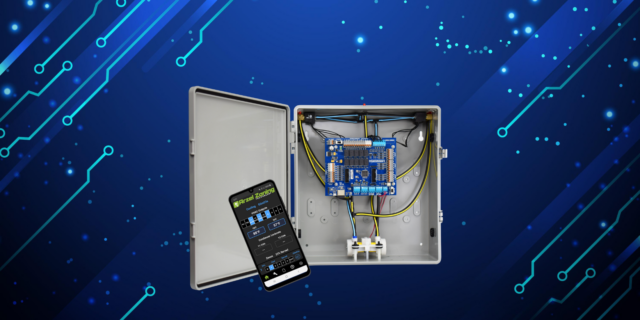
How Many Stages Can the Pro Panel Control? The Pro Panel can handle up to two stages of cooling and up to four stages of heating. It can control multi-stage furnaces, air conditioners, and heat pumps. For example, it can control a two-stage heat pump with two stages of electric heat strips. Or it can […]
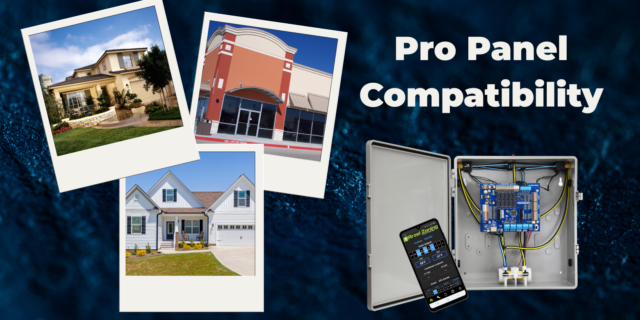
The Pro Panel is a universal zoning system. That means it can control every type of equipment: conventional furnace and air conditioner, split and package geothermal, heat pump, dual-fuel systems, and all-electric systems. The Pro Panel works with multi-stage equipment too, up to 4 stages of heat and 2 stages of cooling. We worked to […]
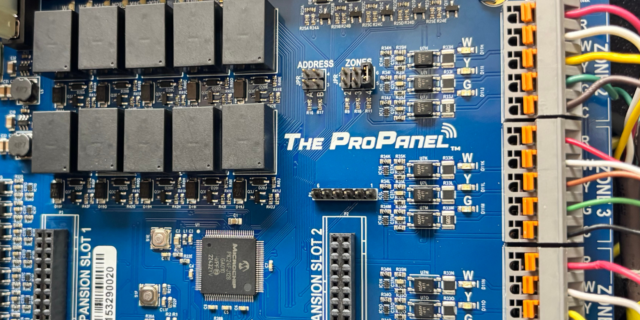
There are three main steps to installing a Pro Panel zone control system: Install the dampers and tubing. Install the panel and thermostats. Connect to the Arzel Pro app to configure the Pro Panel for your installation. After you complete these three steps, your customer will feel the difference immediately. This is one of our […]
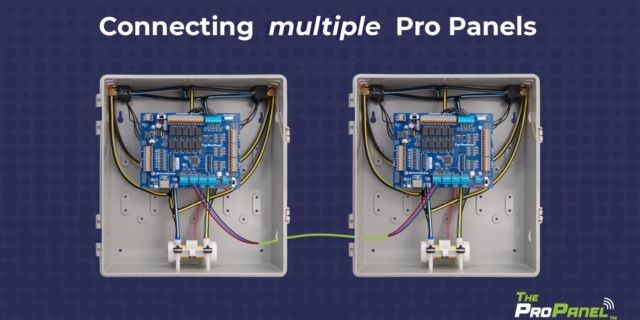
Our new Pro Panel control can zone up to 16 zones. That’s twice as many as our biggest AirBoss, and four times what our HeatPumPro can do. With 16 zones possible, the Pro Panel can be a zoning solution for more light commercial buildings and large houses. On top of the additional zones that are […]