
Arzel Zoning
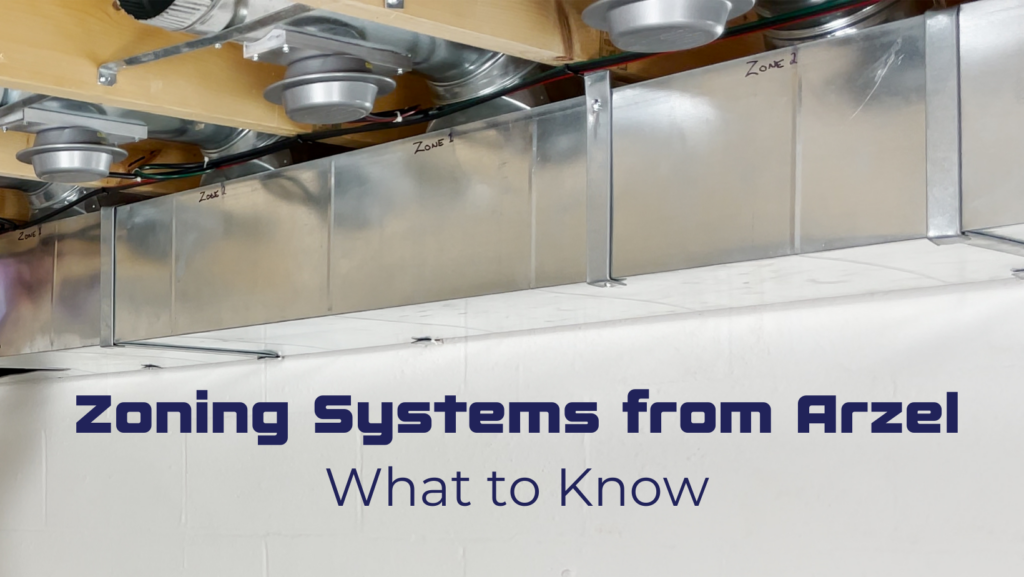
If you’re new to Arzel Zoning systems, here’s what you need to know. We’re different than other zoning manufacturers because our zoning systems are pneumatically driven. Instead of 24-volt motors, our dampers are actuated by low pressure air. This small difference makes a big impact when it comes to you. Why? Our damper fail rate is extremely low, and installing our zoning systems is quick and easy.
When you are installing any of our zoning systems, you’ll need a control panel, dampers, PVC tubing, and tee fittings. You will connect the dampers to the control panel with PVC tubing, using tee fittings to add dampers to each zone. If you’re using one damper per zone, which we usually call a trunk damper system, you won’t even need tees.
Arzel zoning systems ship with the transformer you need. For our zoning panels with four zones or less, it will be a plug-in style, 120-volt transformer. You’ll just plug the transformer into any standard wall outlet, and it will provide 24 volts to your panel. When you install an AirBoss with 6 or 8 zones, you’ll use the hard-wired transformer that also ships with the panel. You’ll hardwire the transformer and it will provide the 24 volts to your system to power the panel and all your thermostats.
Our zoning systems are compatible with any 24-volt thermostat on the market. So you are welcome to use smart thermostats or Wi-Fi thermostats like Google Nest or Ecobee stats.
We have several different panels available so you can find the right one for your application. Here’s what each of our main zoning panels can do.
The MPS zoning system comes in a 2- or 3-zone configuration, and only works with single-stage equipment. This is our budget-friendly panel, and while it doesn’t have all the features of our other panels, it can be a great option for cost-sensitive projects like new construction. It works well for simple retrofit zoning applications that have single stage equipment and just a few dampers. Like all of our zoning systems, MPS is eligible for our lifetime warranty. It’s also compatible with all of our dampers. So it’s a great way to take advantage of Arzel’s level of quality at a lower price point.
The Pro Panel is packed with features that make it the best control for almost every zoning system you can design. The Pro Panel comes in 2, 3, or 4-zone configurations, and you can daisy-chain multiple Pro Panels together to get up to 16 zones of control. It’s compatible with any 4- or 5-wire thermostat, no matter what type of equipment you’re controlling. The Pro Panel has advanced features for heat pumps and staging that make it more than just a zoning control. The Pro Panel is a great way to control multi-stage equipment even before you factor in the zoning part.
With all of those features, yes, the Pro Panel has a lot of settings. You can adjust virtually everything, so you can get exactly the operation you want. But you don’t have to spend forever setting it up. The Pro Panel app can populate the default settings for your equipment type with one easy tap. Just choose your equipment type and go! So even though the Pro Panel lets you adjust so many things, you don’t have to spend hours configuring every last setting.
The Pro Panel really shines with all of the additional capabilities it has. Like the HeatPumPro, the Pro Panel handles staging based on the supply air temperature and the runtime in each stage. However, now you can adjust both the temperature and the time it spends in each stage. You can also use zone weighting to stage based on the percentage of ductwork that is calling. The HeatPumPro also does zone weighting, but the Pro Panel has an additional feature. With the Pro Panel, you can designate any zone as a slave zone, or a zone that can’t engage the equipment when it is calling alone. With slave zones, you can create smaller zones without causing static pressure issues, because these zones will never get the full capacity of the blower by themselves.
The AirBoss is our longest-running panel. It’s designed for large homes or light commercial buildings. One important AirBoss feature is the master zone switch, which reverts all functionality to the zone 1 thermostat. Control it manually or with a timer. This is a great feature for commercial buildings, because it allows occupants to save energy by setting back temperatures when the building is not in use.
AirBoss comes in configurations of 2, 3, 4, 6, or 8 zones. The AirBoss zoning system will work for any equipment from single-stage conventional all the way through dual-fuel applications. For dual fuel, you do need to add an outdoor thermostat.
For two-stage equipment, you have two different options with the AirBoss. You can either use two-stage thermostats for that second stage, or if you don’t want to run the wires for the thermostats, you can use the delay timers built onto the board. You can set those anywhere from two minutes up to 30 minutes, and then after that amount of time elapses, it will engage second-stage operation.
If you’re trying to decide which panel to use, ask an application design question or see our blog, Which Zoning System Should I Choose?
HeatPumPro will work for any 24-volt system on the market, as it ships. It’s not just for heat pumps, either! HeatPumPro works for conventional, multi-stage, heat pump, dual-fuel, all-electric, and geothermal systems. You don’t need any extra components, even for a dual-fuel system. You can handle all staging with just single-stage conventional thermostats, and it’s going to be able to provide you up to four stages of heating and two stages of cooling on your outputs.
So how does it work? HeatPumPro handles staging based on leaving air temperature and runtime. It’s actually getting a real-time reading in your ductwork, as well as an outdoor sensor, which both ship with the panel. And that’s how it’s going to stage your equipment. It’s also going to handle any kind of changeovers you guys would have. So if you’re working with a dual-fuel system, you’ll just program that in. Then when a temperature is reached, it will flip over to your auxiliary heat source.
You can use the HeatPumPro for just about any application in the residential market. It’s available for 2, 3, and 4 zones. Typically you’re not going to do more than 4 zones residentially because the zones will be too small if you try making more than that.
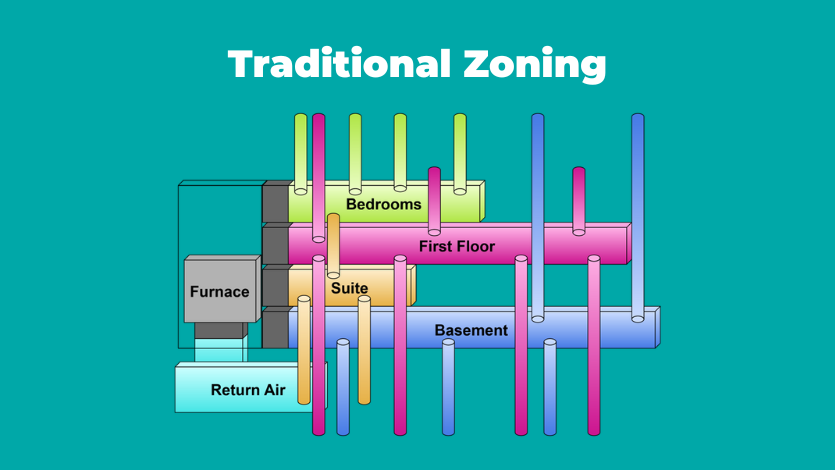
Traditional zoning, especially for new construction, would just add a damper to the trunk for each zone, like the diagram below.
With our zoning systems, you have more options. Whether you’re zoning new construction or adding retrofit zoning, it’s good to have options! Here’s what our dampers can do:
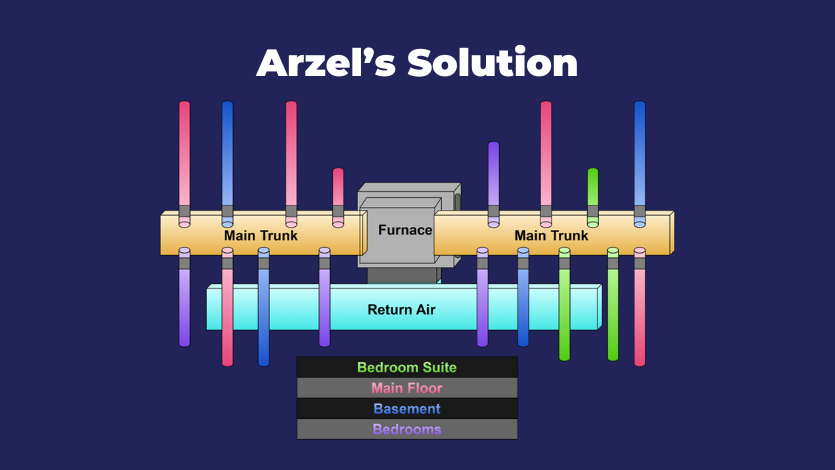
Our zoning systems strive to be the answer for new construction AND existing homes. With our easy-to-install branch dampers, you can zone off each individual run. Any of our panels can handle up to 35 dampers, and there’s no extra wiring or transformers necessary. One small pneumatic pump will open and close all of the dampers on the zoning system.
Our most popular damper is the EzySlide damper. These come in round and rectangular sizes, so they can be used in a trunk-style duct or a branch-style duct. Like most of our dampers, EzySlides come with a three-quarter-inch gasket seal, so they form a very good seal. To install an EzySlide damper, you’ll cut a small hole into the duct, insert the damper, and fasten with sheetmetal screws. It takes about 2 minutes to install each damper. Watch our videos to see a round EzySlide installation or a rectangular EzySlide installation.
We also make a variety of specialty dampers that make it possible to install zoning when you have limited access to the ductwork. InsertaDamper and EzyFit dampers fold up smaller than their deployed size, so you can reach in through an access point and install them in a round duct. Our RegiDampers are installed just below the register grill. See our blog on how to install dampers in existing ductwork for more information.
We have two different tubing types, and all of them are color-coded so you can easily identify each zone. We recommend using a different color for each zone. When you’re using EzySlide dampers, you’ll need our standard PVC tubing. For applications with inserted dampers like EzyFit, RegiDamper, and InsertaDamper, you will need to use our plenum-rated tubing because it will need to go inside the duct. This tubing is UL-rated for fire and smoke.
When you’re running the tubing, you may want to use some of our fittings to connect the tubing. All of our fittings are barbed, so you just slip them on the tubing and they will stay in place. The most commonly used fittings are the tees, which you’ll need to tee in additional dampers on a zone. You may want to have some couplings on hand to connect tubing if you accidentally cut it too short. We also have plugs, which are very useful for troubleshooting. Our elbow fittings will let you make a hard 90-degree bend in the tubing. You’ll find the tubing is very pliable and you probably won’t need these, but some technicians like to use them.
The easiest way to install the tubing is to start with the farthest damper from the panel on a zone. Run a piece of tubing to that damper. From there, start stapling your tubing in place, working back toward the panel. Each time you come to another damper on the zone, cut the tubing. Install a tee fitting, then add a short piece of tubing to connect the damper. It’s quick and painless!
We also offer an installation tool kit that has all the fittings and tools you’ll need to install one of our zoning systems. One of the best pieces in it is the tubing stapler, which is just the right size to staple our tubing without pinching it. It works really well for low-voltage wiring, too.
The spare parts kit is nice to have on hand if you’re doing service on our zoning systems. It has all the interchangeable components that you would need with any kind of Arzel panel. It includes a replacement pump, solenoids, the transmitter for the ModuPASS bypass, and a replacement transformer and sensor. When you’re making a repair, it’s nice to have the spare part on hand even if the zoning system is under warranty and we’re supplying the part. That way, you can get your customer up and running right away, then replace the spare part in your kit when we send the replacement in a few days.
We offer one of the most reliable products in the industry. That’s why we have a lifetime warranty and a 100% comfort guarantee. If your customer is not happy in the first year, and the system was properly installed, we’ll buy it back. We also support our contractors with exceptional tech support, usually with no wait time. Give us a call today if you have questions about Arzel Zoning systems. 1-800-611-8312.
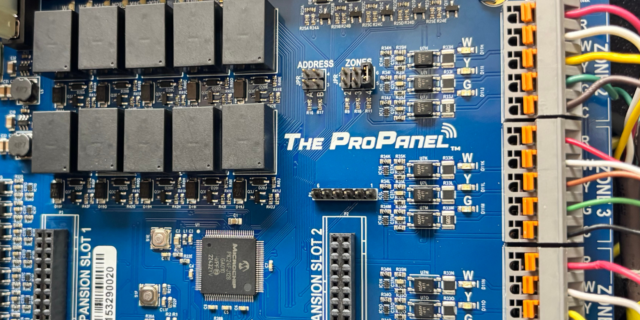
There are three main steps to installing a Pro Panel zone control system: Install the dampers and tubing. Install the panel and thermostats. Connect to the Arzel Pro app to configure the Pro Panel for your installation. After you complete these three steps, your customer will feel the difference immediately. This is one of our […]
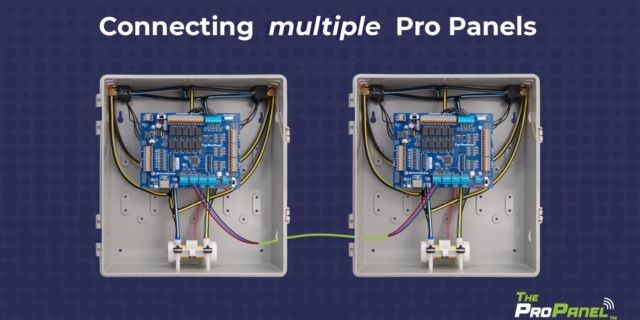
Our new Pro Panel control can zone up to 16 zones. That’s twice as many as our biggest AirBoss, and four times what our HeatPumPro can do. With 16 zones possible, the Pro Panel can be a zoning solution for more light commercial buildings and large houses. On top of the additional zones that are […]
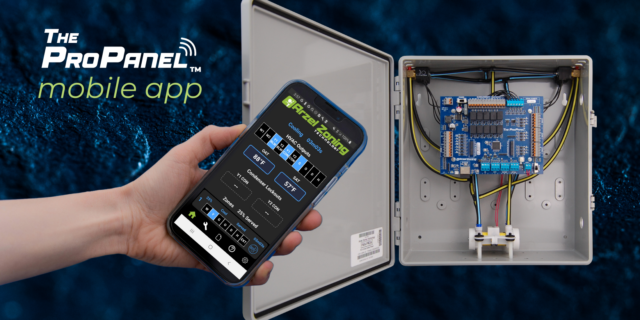
The Arzel Pro Panel app gives contractors more control, easier setup, and better troubleshooting capabilities. All of that comes in a no-nonsense package. The app is simple to connect and doesn’t require Wi-Fi or cell service. We’re proud that the Arzel Pro app makes the Pro Panel our most customizable panel. And it’s still easy […]
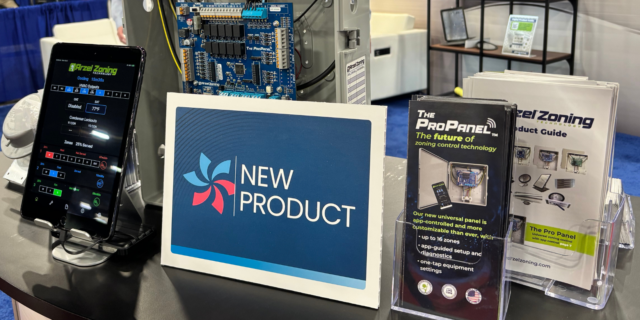
App-controlled HVAC zoning panel is feature-rich and highly customizable; pairs with trusted Arzel dampers Cleveland, OH (Feb. 10, 2026) – Arzel Zoning Technology, a trusted name in HVAC since 1983, is proud to announce a new zoning control: The Pro Panel™. This universal zoning control offers advanced control and a feature rich system, all with […]